- Free Plan: For individuals working on small projects and basic data analysis.
- Plus Plan: For professionals who need fast, data-informed decisions without a dedicated data team.
- Pro Plan: For companies that want to collaborate across departments and simplify data access.
- Business Plan: For teams looking to get started quickly and self-serve insights.
- Enterprise Plan: For large organizations that need advanced security, compliance support, and custom integrations.
Upgrading Your Subscription
Upgrading Your Subscription
- Navigate to the Subscription page
- Click Upgrade under the plan you wish to upgrade to
- Complete your purchase on the Stripe checkout screen
Canceling Your Subscription
Canceling Your Subscription
- Navigate to the Subscription page
- Click Cancel or Manage Plan (or Invoices and Payment Methods) to open the billing portal
- Click Cancel plan
-
If eligible, select the option to End subscription immediately and receive a refund

Unsure if you want to cancel? Instead of canceling, you can Pause your subscription for a set amount of time!For information on refunds, please see our Refund Policy.
Cancel a Team Workspace
Cancel a Team Workspace
If you have a Business or Enterprise plan with a team workspace and want to remove it:
- Navigate to the Subscription page.
-
Navigate to the Teams tab.

-
Scroll down to the section to ‘Delete Team’.

Managing Payment Methods and Billing Information
Managing Payment Methods and Billing Information
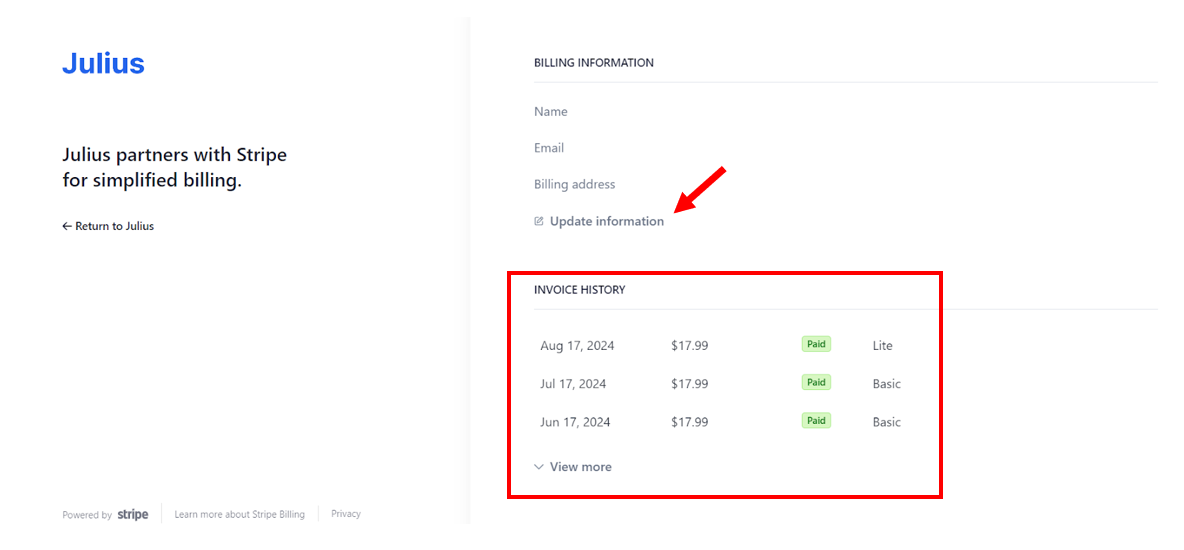
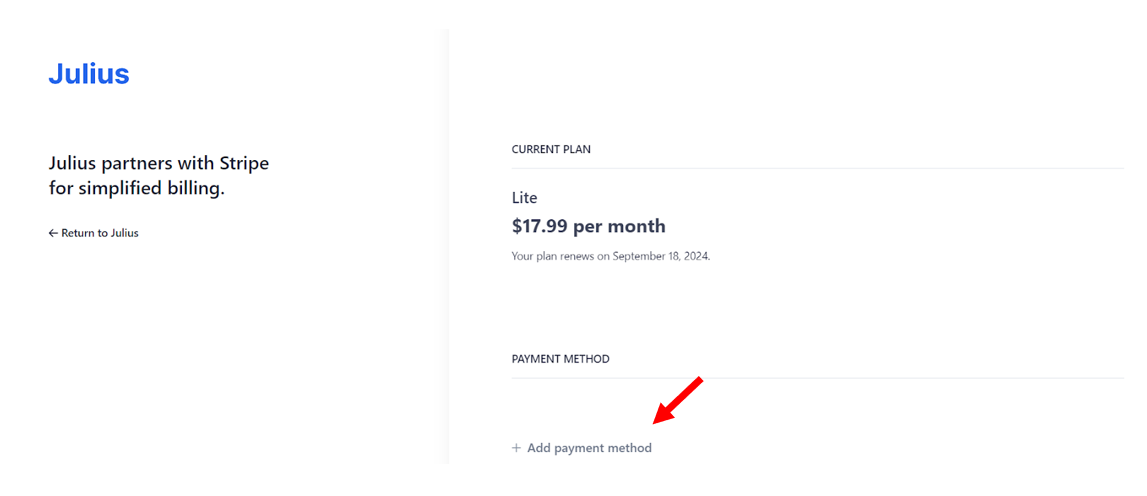
- Navigate to the Subscription page
- Click Invoices & Payment Methods
- Click Add payment method to change your current payment method
- Click Update information to update your billing information (eg. name, address, company, VAT info)